
Tasks & Priority
Three Kinds of Items
Everything in OpenTask is stored as a task row, but an item is one of three kinds. The kinds are mutually exclusive — an item can't be both a reminder and a quota.
| Kind | How it's marked | Has a target? | Can be over target? | Where it lives |
|---|---|---|---|---|
| Task | Neither flag set | Optional | Yes | The main task list, or a task segment until its target arrives |
| Reminder | is_reminder: true | Optional (its time of day places it in a reminder period) | Never | Reminders |
| Quota | progress_target greater than 1, or is_tracked: true | No | Never | Quotas |
- Tasks carry debt: once a task's target passes, it stays over target until you complete it, snooze it, or remove the target.
- Reminders are things to consider at a time of day. Missing one costs nothing — it isn't counted as over target, isn't snoozed, and a recurring one simply rolls forward to its next occurrence.
- Quotas are counted within a period ("4 times this week") rather than due on a day, so they have no target and are never over target.
To list one kind through the API, filter GET /api/tasks with kind:
curl -H "Authorization: Bearer $TOKEN" \
  "https://tasks.example.com/api/tasks?kind=reminder"
kind accepts task, reminder, or quota. Without it, all three kinds are returned.
Target, Deadline, and Horizon
A task's dates answer three separate questions. Each one is optional, with two ties between them: a one-off task with a deadline always has a target, and the target is never after a deadline that's still ahead.
| Field | API name | Answers | What moves it |
|---|---|---|---|
| Target | target_at (due_at is an older alias) | When should this start nagging me? | A snooze (any move of the target), or removing it |
| Deadline | deadline_at | When is it actually too late? | Only an edit of the deadline itself. A snooze never moves it |
| Horizon | horizon | How soon should it get done? | Only an edit of the horizon |
Priority is separate again: it says what missing the task would cost.
Target
The target is a soft commitment to a day and time. When it arrives, the task is over target: it shows on the dashboard, counts in the top bar and the app icon badge, and sends notifications. Until then a task with a target you picked is quiet: it shows only in Upcoming on the Reminders screen, on a heads-up day or two shortly before (task segments). A one-off task with no target, or with a deadline's automatic target, sits in its horizon's task segment instead. A task is never in two places.
Snoozing a target is the normal workflow, at any priority. Being over target on a low-priority task is ordinary, not a problem.
Target age. An over-target row carries a small corner tab with how long it has been over target, in whole days ("3d"). The age counts from the task's first target, and moving the target doesn't reset it, so a task that has been snoozed for a week still reads "7d". It's blank on the target day itself, and it never counts from before the task was created. The tab gets deeper in color at 3 days and again at 7. The age starts over only when a task with no target gets one; see Snooze tracking.
Remove target (in the quick panel's … menu, the snooze menu, and an Upcoming row's target chip) takes the target off and sends the task back to its horizon's task segment. A task with a deadline never loses its target, so on one whose target you picked these places offer Back to auto instead, which puts the deadline's automatic target back (see below). A task already on its automatic target offers neither. A recurring task's target goes only with its recurrence (Remove target & recurrence).
Deadline
The deadline is the real cutoff, such as a filing date or an expiry. It changes only when you edit it: no snooze, single or bulk, ever moves it.
A deadline always has a target. If you set a deadline on a one-off task without picking a target, OpenTask gives it an automatic target: your morning time (Settings → Snooze → Morning time) 3 days before the deadline, or 4 days before if the deadline was set 16 or more days out. If that moment has already passed, the target is now, so the task is over target at once. The quick panel shows it on the target line, for example "auto · Tue, Oct 20, 9:00 AM (3 days before deadline)". It's an ordinary target you can see and snooze; nothing nags behind your back.
An automatic target doesn't make the task quiet the way a target you pick does: until it arrives, the task stays in its horizon's task segment, and the deadline pulls the horizon in as it nears. Then it's over target like any other task. When you change the deadline, an automatic target moves with it; a target you picked stays, pulled back to the new deadline if that is earlier. Removing the deadline removes an automatic target and leaves a picked one.
The target never passes a deadline that's still ahead. Every move stops at the deadline: a snooze, the target picker, Today, a bulk snooze or the snooze-all button, a multi-select date change, a notification button, and the native apps' one-tap snoozes. There is no "snooze past it anyway". A move that stops short says so: "Snoozed to deadline 6:00 PM", or "· 2 stopped at their deadline" after a bulk snooze. To go later, change or remove the deadline. The target picker and the snooze menu offer Deadline day: your morning time on the deadline's day (or the deadline itself, if it's earlier in the day), shown until that moment has passed.
Once a deadline has passed the cap is off: a single snooze or target change can go anywhere, earlier or later. Nagging continues, and the row shows past deadline in red. In a bulk snooze, a task whose deadline has passed is treated like a High-priority task: it waits while anything lower is still being swept and moves on the next press (see Bulk snooze).
Recurring tasks never get an automatic target: their scheduled occurrence is their target. A recurring task's deadline moves along with each occurrence, keeping the same distance from it and the same local time of day; snoozing doesn't shift it. See Recurrence.
Horizon
The horizon is the task's pace: Days, Weeks, Months, or Eventually. It decides which task segment the task shows up in while its target hasn't arrived, and nothing else. A task with no horizon is Unset: it's treated like Weeks, but shown as Unset (and horizon stays null in the API).
A close deadline pulls the horizon in, never out. A deadline within 7 days makes a task act as Days, within 21 days as Weeks, and within 90 days as Months, whatever its own horizon. Nothing grows a horizon on its own; Process asks you when one looks too short.
Editing them
The quick panel shows the target on its own line (an automatic one marked "auto"), with a Deadline picker (the picker's Clear removes it) and a Horizon chip below it. On a one-off with a target you picked, the Horizon row is greyed and says why ("Target set: quiet until Nov 1"); removing the target, or Back to auto, brings it back. With AI enabled, quick add fills in a deadline or horizon only when your words state one ("by Friday", "sometime this month").
Priority Levels
| Value | Level | Meaning |
|---|---|---|
| 0 | None | No priority assigned |
| 1 | Low | Background tasks |
| 2 | Medium | Normal importance |
| 3 | High | Missing it matters — bulk-snoozed only when nothing lower is left |
| 4 | Urgent | Missing it is serious — never bulk-snoozed |
Priority is what missing the task costs. It doesn't decide whether a date is a deadline: the deadline is its own field, and a low-priority voucher that expires on the 11th still expires on the 11th. Priority sets how often an over-target task notifies (see Notifications) and how a bulk snooze treats it:
| Priority | Bulk snooze | "Over target" significance |
|---|---|---|
| 0-1 (None/Low) | Always | Normal |
| 2 (Medium) | Always | Low |
| 3 (High) | Only when nothing lower is left in the batch | Significant |
| 4 (Urgent) | Never | Critical |
In practice, the first press of the snooze-all button clears P0-2 and a second press moves the remaining High tasks. Urgent tasks need an individual, deliberate snooze. See Snooze & Time.
What "Over Target" Means
A task is over target once its target has arrived. The API and its query parameters keep the older word "overdue" (?overdue=true, bulk/snooze-overdue) for the same thing. OpenTask uses one definition everywhere: the top bar count, the app icon badge, notifications, the snooze-all sweep, and GET /api/tasks?overdue=true all return the same set.
- Only tasks can be over target. Reminders and quotas never are, and neither are tasks in a task segment.
- Done, trashed, and archived tasks are never over target.
- A one-off task is over target once its target has arrived, whether you picked it or it's a deadline's automatic target.
- A recurring task is over target from its target until it's done — it doesn't stop when a new day starts. A recurring task with no target is judged from its schedule. See Recurrence.
Over target is drawn in a calm plum, not red: an arrived target means it's time to look, not that something is wrong. Red is kept for a passed deadline.
Showing only over-target tasks
- Over target chip. While any task is over target, the dashboard's control row (next to Filters) has an Over target chip with the count. Tap it to show only over-target tasks, without opening the Filters panel; tap it again to show everything. It stays visible while the filter is on, so you can always turn it off.
- Top bar counts. Tap the plum over-target count to show only over-target tasks, or the gray today count to show only today's tasks. Turning a filter on this way also scrolls the task list up under the top bar, past the Reminders and Quotas panels. A second tap only clears the filter. The number on each count matches what you get when you tap it. The breakdown of your task totals opens from the total count.
- Over target button. While any task is over target, a round plum button with a calendar-clock icon floats over the list, just above the snooze-all button: on a phone above the bottom tabs, on a desktop in the bottom-right corner. Tap it to show only over-target tasks and scroll straight to them. While the filter is on, the button stays and is drawn pressed; tap it again to show everything, without scrolling. It's hidden when nothing is over target and in selection mode. The count is in its tooltip.
- Links.
/?filter=overdueopens the dashboard with the Over target filter on (the iOS and Mac Tasks widget header and over-target Web Push notifications use it);/?filter=todaydoes the same for Today. The filter lasts for that visit and isn't saved.
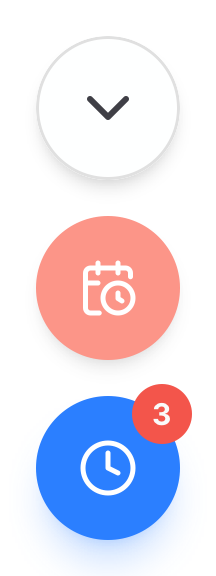
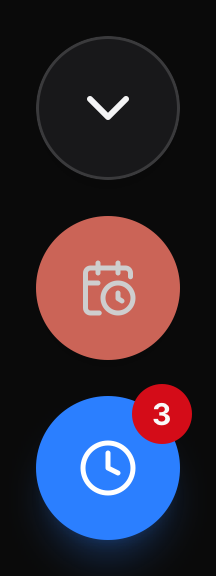
Counts update on their own while the page is open: when a task's target arrives, its row gets the plum stripe and the top bar count, the Over target chip, and the button appear without a reload. If the Over target filter is on and its last task is done, snoozed, or re-targeted (here or on another device), the filter turns itself off and a message says so. Other filters stay on. A filter you turned on when nothing was over target stays on until you clear it.
Dashboard Views
The dashboard's view switch picks how the task list is shown:
| View | Shows |
|---|---|
| All | Every task, grouped by project |
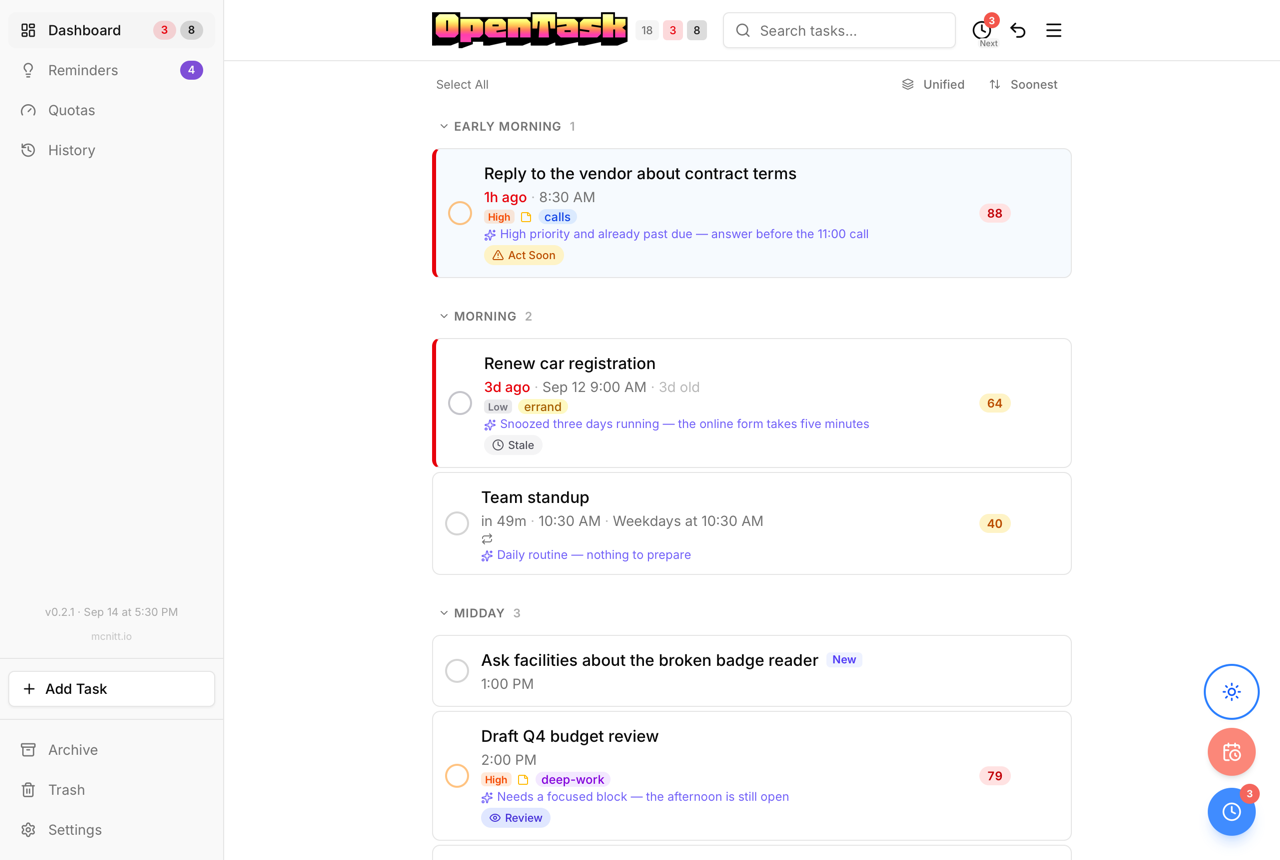
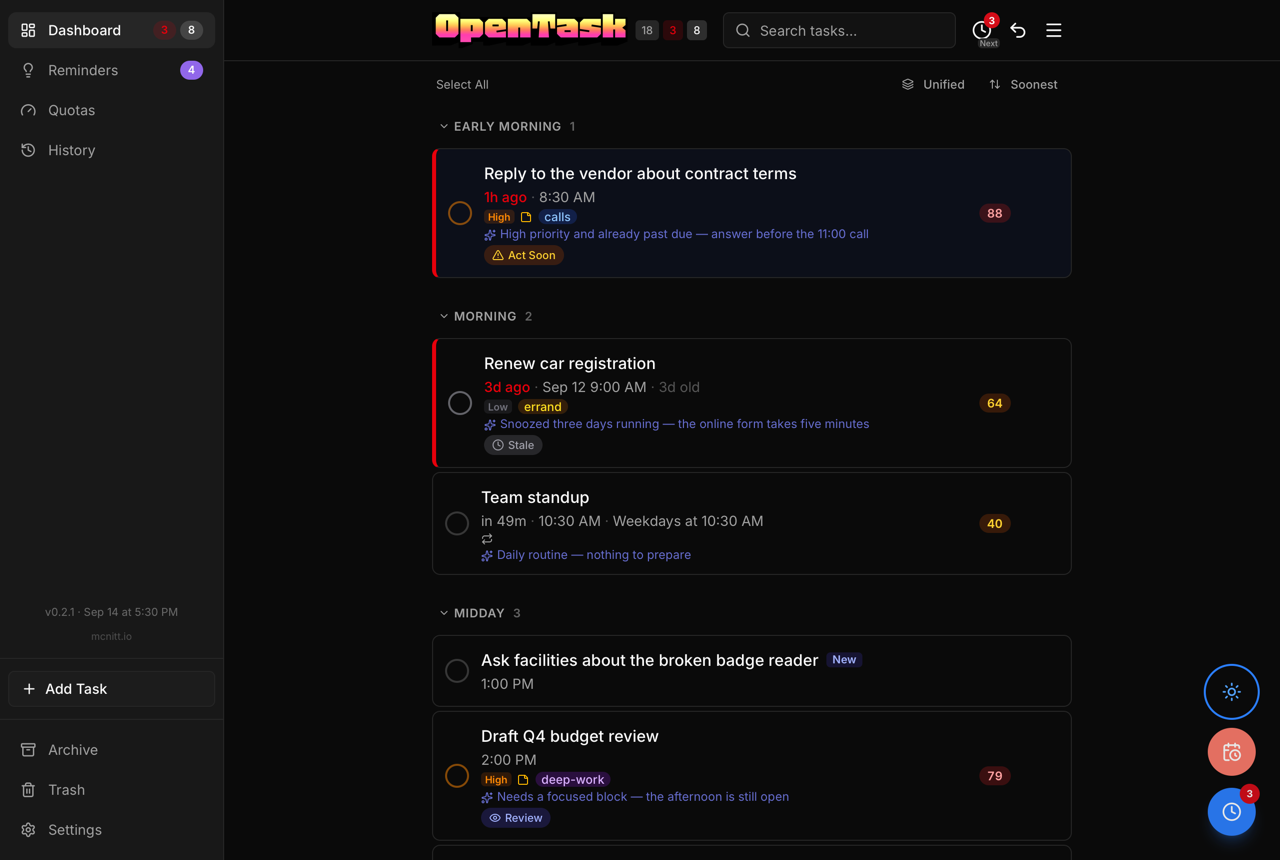
| Today | Tasks with a target today or over target, grouped by reminder period, with tasks that have no target last |
| Newest | Every task in one list, newest added first, each row naming its project |
Every view shows open tasks only; reminders and quotas have their own panels. The dashboard remembers the view you last picked; new users start on All. The Newest view's order is fixed, so its sort menu is replaced by a "Newest added" caption. To see one project's tasks, use the project filter, which works in any view.
New users' task lists are sorted by Horizon, then deadline: over-target tasks first, then by horizon (a close deadline counts), then deadline, priority, and newest. A sort you've already picked is kept. Change it from the sort menu.
The Today view, grouped by reminder period:
The Newest view, one list with each row naming its project:
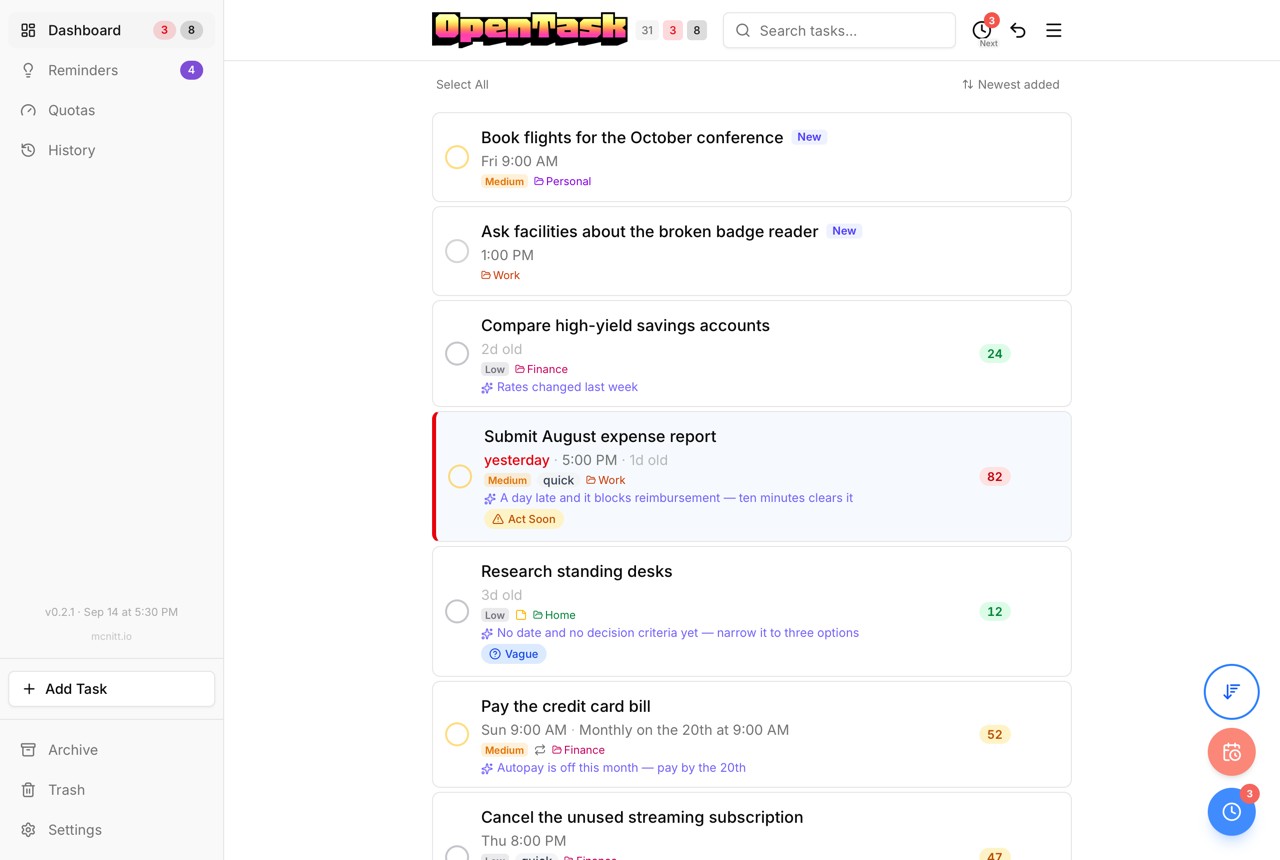
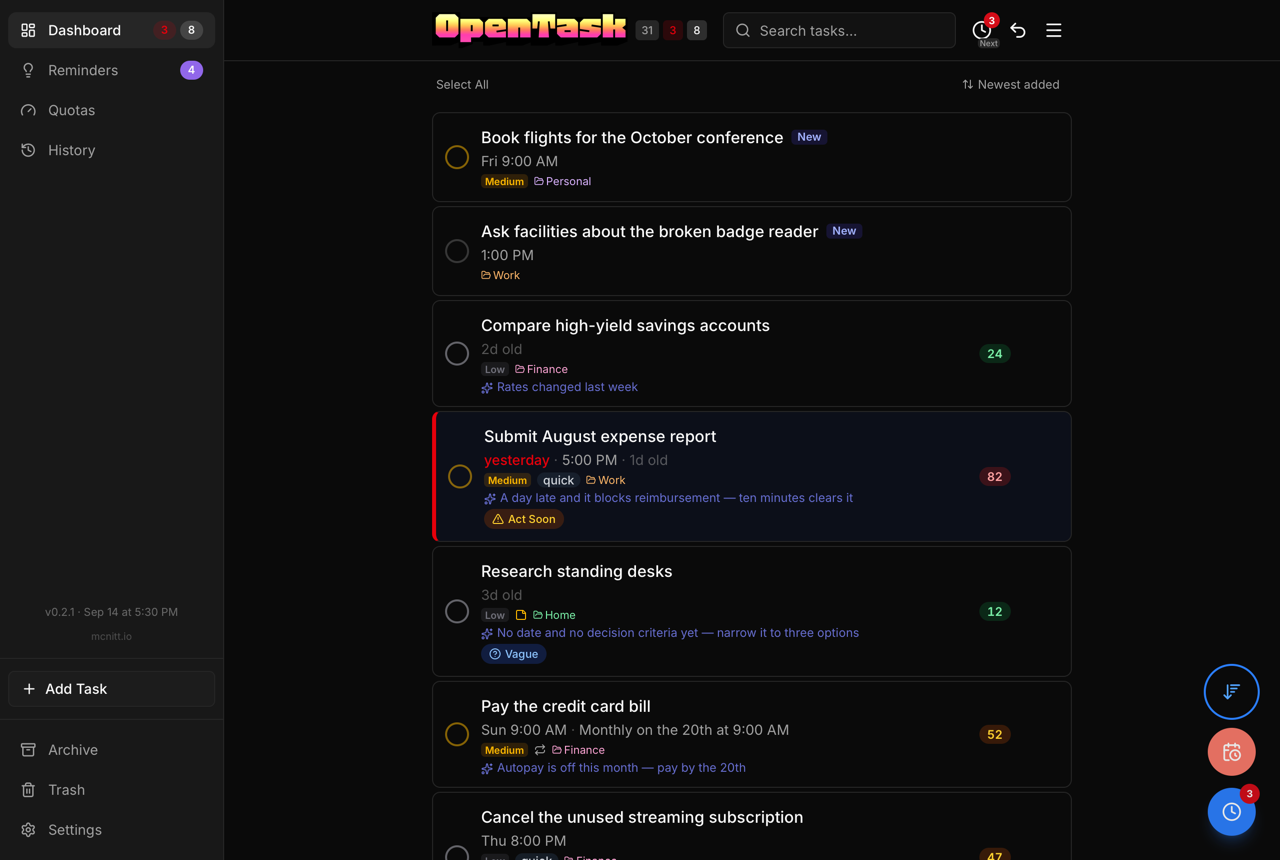
While the view is Today or Newest, a round button with that view's icon, drawn pressed with a blue ring, floats over the list above the over-target and snooze-all buttons, so you can tell you aren't seeing every task after the view switch scrolls away. Tap it to go back to All. It's hidden in selection mode.
In All, each project shows its first 6 tasks, with the rest behind Show all. Change the number with Tasks shown per project in Settings → Projects (1 to 50; project_preview_count in /api/user/preferences). Today's periods always show 5.
Just-added and just-targeted tasks
On a phone, the + in the bottom tabs scrolls the dashboard to the top and puts the cursor in its Add a task… field (from another page, it opens the dashboard first).
For 15 minutes after a task is created, it's listed in a Just now card under the add field, so you can check that it landed without scrolling. This covers quick add, the add form, and tasks created through the API from another device (for example, an Apple Shortcut or the Mac menu bar item). A task you target from a task segment (its Today button, or the time you pick by holding it) is listed too, for 15 minutes after you target it, so you can check it and move it if needed. Newest first, each entry shows:
- the title and the project it landed in (Inbox if none)
- what AI filled in, such as the target and priority, or AI is filling in details… while enrichment runs
- what happened and how long ago: "Added 3m ago" or "Targeted just now"
The task's real row stays in its usual place and carries a small New or Targeted tag. A task added and then targeted within the window is listed once, under the later of the two.
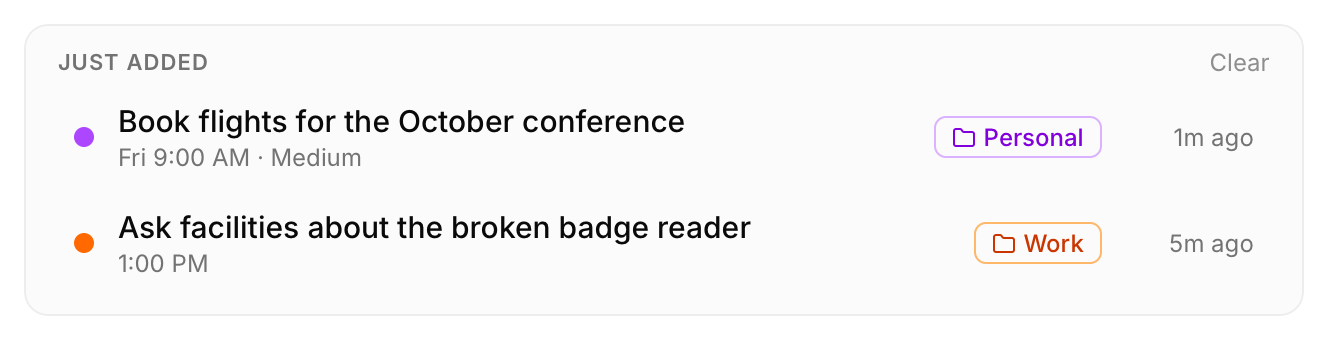
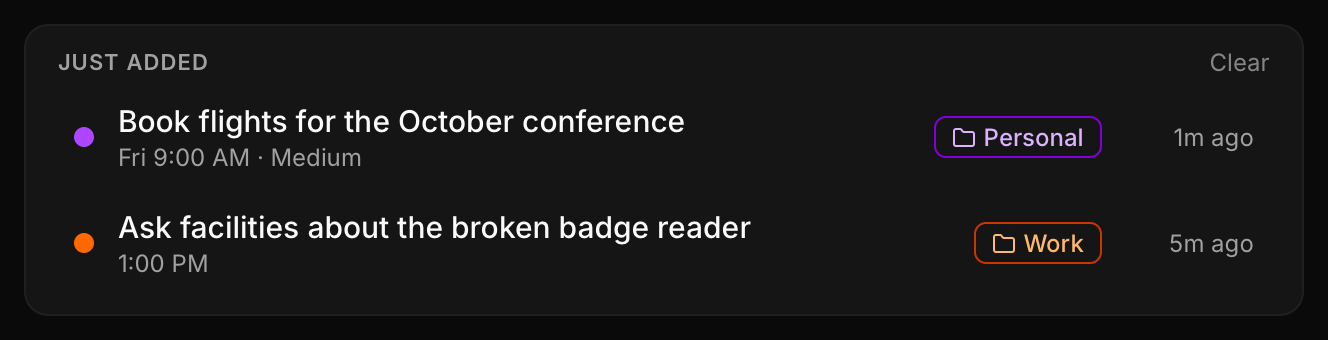
- Tap an entry to scroll to the real row and highlight it, or, if the current view doesn't list the task (for example, a task with a target next week in the Today view), to open the task.
- Clear hides the entries listed now. A task added or targeted after that shows up again.
- The card ignores filters, so a new task that a filter hides still shows. It's hidden while you search.
- Entries aren't check-offs and aren't counted. Each leaves the card on its own after 15 minutes.
Process
Process in the top bar's menu works through your Inbox and backlog in one dialog. The menu item shows how many items are waiting. Each step appears only when it has something in it:
- Inbox — one Inbox task at a time, with your projects as buttons, always in the same order. Tap one to move the task there, or Skip. On a desktop, keys 1–9 pick a project and S skips. With AI enabled, the project AI recommends is highlighted.
- Duplicates — groups of tasks that AI thinks are the same work (AI only). Trash the extra ones, or mark the group Not duplicates.
- Horizons — tasks that have sat on their horizon a long time: Days for 2 weeks, Weeks (or Unset) for 2 months, Months for 6 months. Each starts checked to grow one step; uncheck the ones to keep, then apply. Kept ones aren't asked about again until they're long past again. Medium priority and up also offer Do it (target today) and Raise (priority one step up).
- Old targets — tasks over target for 7 days or more, for one-tap target removal. Tasks with a deadline are listed apart and start unchecked: they go back to the deadline's automatic target, which may nag sooner. Tasks already on their automatic target aren't listed.
Every action applies at once, with Undo on its message. Steps 1, 3, and 4 work without AI. A task segment with more than 50 tasks waiting offers a shortcut to Process.
Through the API, GET /api/process returns the rule-based lists (inbox, growth, stale_targets, stale_targets_with_deadline). POST /api/process/recommend-projects and GET /api/process/duplicates return AI suggestions and never change anything. Sending affirm_horizon: true in a task PATCH (or a bulk edit) keeps the horizon and restarts its clock.
Completion Behavior
- One-off tasks: Marked as done and archived immediately.
- Recurring tasks: Advance in place — completing moves
due_atto the next scheduled occurrence and leaves the task active. See Recurrence. - Quotas: Log progress with
POST /api/tasks/{id}/progressinstead of completing them. Marking a quota done closes its period early and resets its count to zero, soPOST /api/tasks/{id}/donerefuses a quota unless the request body includes{ "close_period": true }. Bulk completion skips quotas (reported asquota_skipped) unless the same flag is set. See Quotas.
Soft Delete
All deletions are soft-deletes. Trashed tasks are retained for 30 days (configurable via OPENTASK_RETENTION_TRASH_DAYS) before permanent deletion. The only hard-delete operation is "Empty Trash," which requires explicit confirmation.
Undo/Redo
Every task change is logged and reversible: completing, snoozing, editing, deleting, logging quota progress, and bulk actions. Undo restores the task to its exact state before the action. The undo stack is per-user and works as last-in-first-out.
Editing or removing a reminder period is also undoable. Moving or removing a period moves its reminders with it, and a single Undo restores both the period and its reminders.